Footprint block
Stop one or more operators from being offered in a building (gescal 17) or a home (gescal 37), with a reason and, depending on the reason, an end date. To create or remove many blocks at once, use the blacklist load.
Open Footprint block in Admin →
Find the building or the home
- Search the address or the gescal as in Coverage.
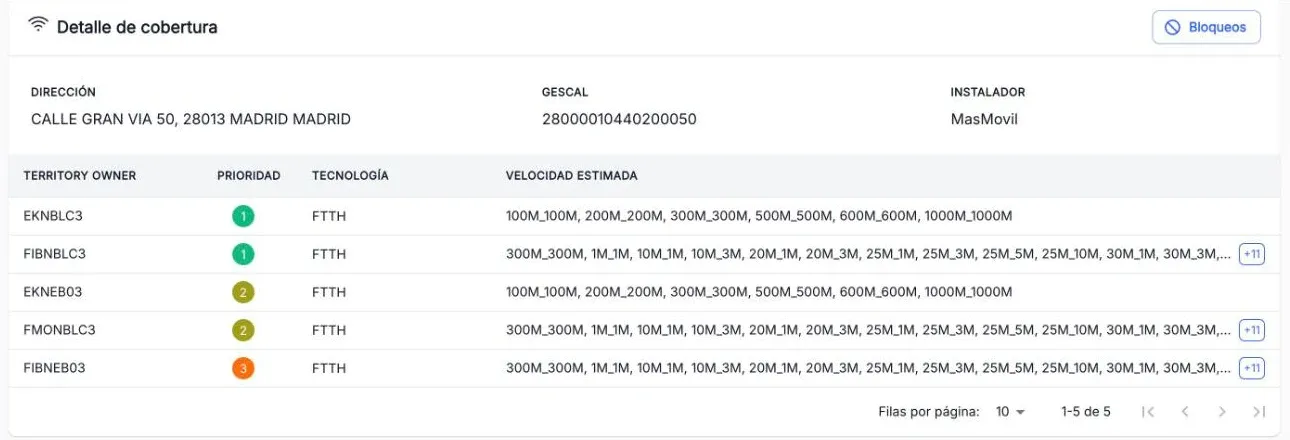
- For the building, press Blocks on the Coverage detail card.
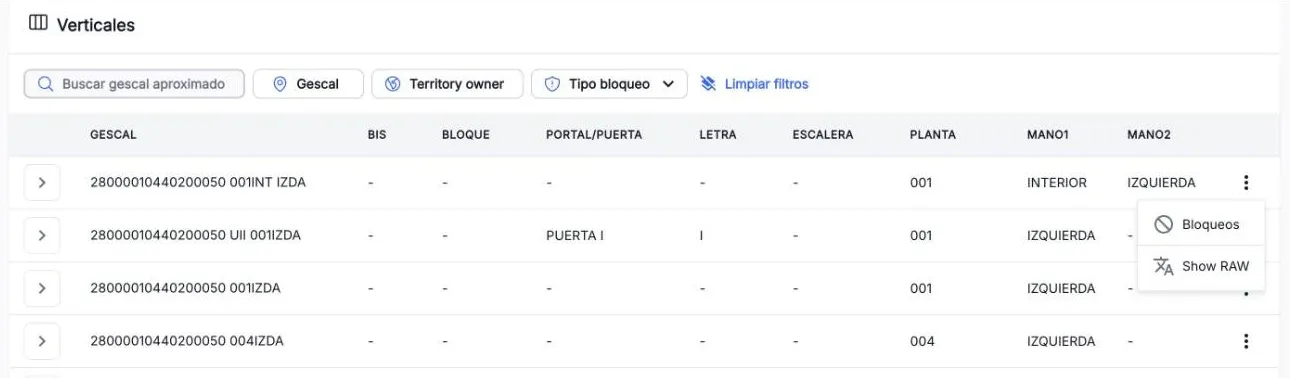
- For a home, open the ⋮ menu of its row in Verticals and choose Blocks.
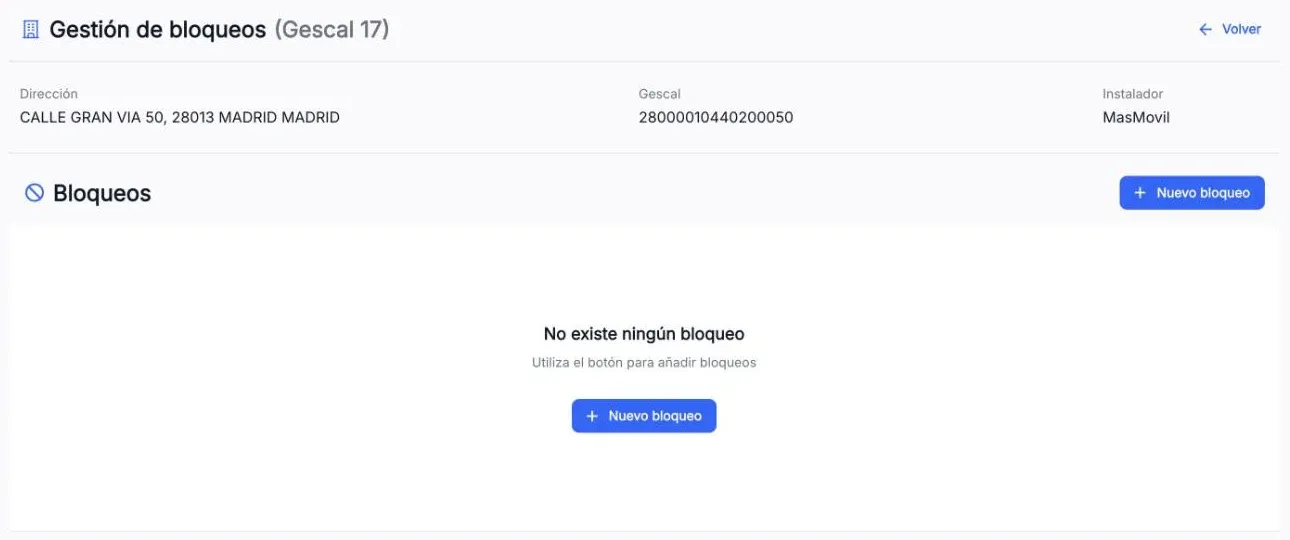
Block management opens, with the details of the building or home and its blocks.
Block an operator
- Press New block.
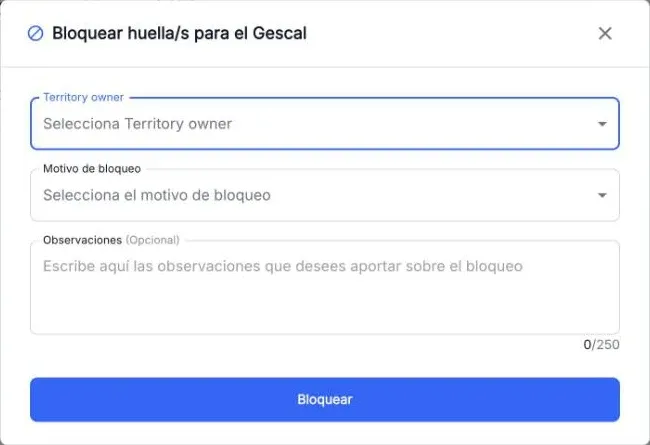
- Pick one or more Territory owners, or ALL. Operators already blocked on that gescal are disabled.
- Pick the Block reason. If the reason has a duration, the end date is calculated for you.
- Add Observations if needed (up to 250 characters) and press Block.
- Review the summary and confirm with Block.
One block is created per operator and the table shows the result of each one. If some fail, you can retry them or end with Finish: the failed ones stay unblocked.
Remove a block
- In Block management, press Unblock on the block.
- Add observations if you want and confirm.
A block can only be removed from its own scope: a building block (G17) cannot be removed from a home’s screen. Expired blocks are removed automatically every day.
The screenshots show the Admin interface in Spanish.
When something is not as expected
| You see | What it means and what to do |
|---|---|
| Unblock disabled | Your profile cannot use that block’s reason. |
| New block disabled | Every operator is already blocked on that gescal. |
| ”Invalid id length. Expected 37/17 characters” | Check that the gescal is complete. |
| ”Territory owner does not exist” | The operator no longer exists for that gescal: check the coverage again. |
| ”Building Id does not exist” | The building is not in the footprint: search for it again in Coverage. |
| ”Provided reason code is not valid” | Pick another reason from the list. |
| ”No valid role provided” | Your profile cannot use that reason. Ask your manager for the right role. |
Reference
Fields of each block
| Field | What it is |
|---|---|
| Territory owner | The blocked operator, or ALL. |
| Reason code | Why it is blocked, for example “ESTÉTICA VIVIENDA”. |
| User and profile | Who created the block and with which role. |
| Block date | When it was created. |
| End date | When it expires, or Indefinite. |
| Scope | G17 (building) or G37 (home). |
| Observations | Notes from whoever created it. |