Footprint load
Update the coverage in bulk from the operators’ CSV files: you upload them, review the audit of the impact and approve the load.
Open Footprint load in Admin →
How a load works
Each load goes through these phases:
| Phase | What happens |
|---|---|
| Preload | The files are read and validated, and the changes are calculated. |
| Audit | A person reviews the expected impact and decides whether the load runs. They have 6 hours; then it is canceled. |
| Night load | If the load is postponed, it waits for the night window (00:00 to 04:00 UTC). |
| Loading | The changes are applied. |
| Sync | The changes are replicated to the other systems. |
A load’s status is In progress, Pending, Finished, Failed or Canceled.
See the loads
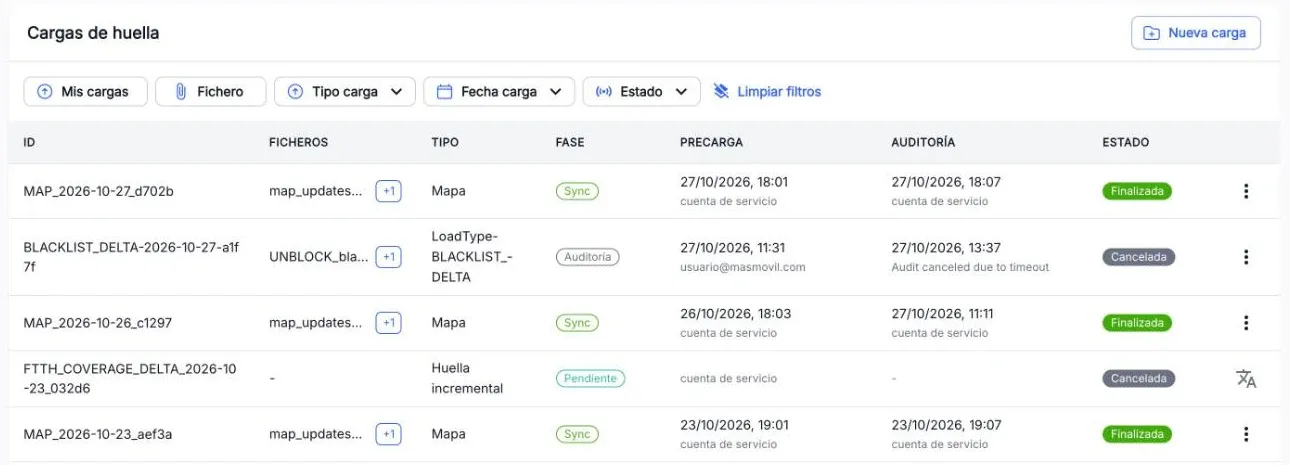
The Footprint loads table shows, for each load, its ID, its files, the type, the current phase, who preloaded it, who approved the audit and the status. You can filter by My loads, File, Load type, Load date and Status.
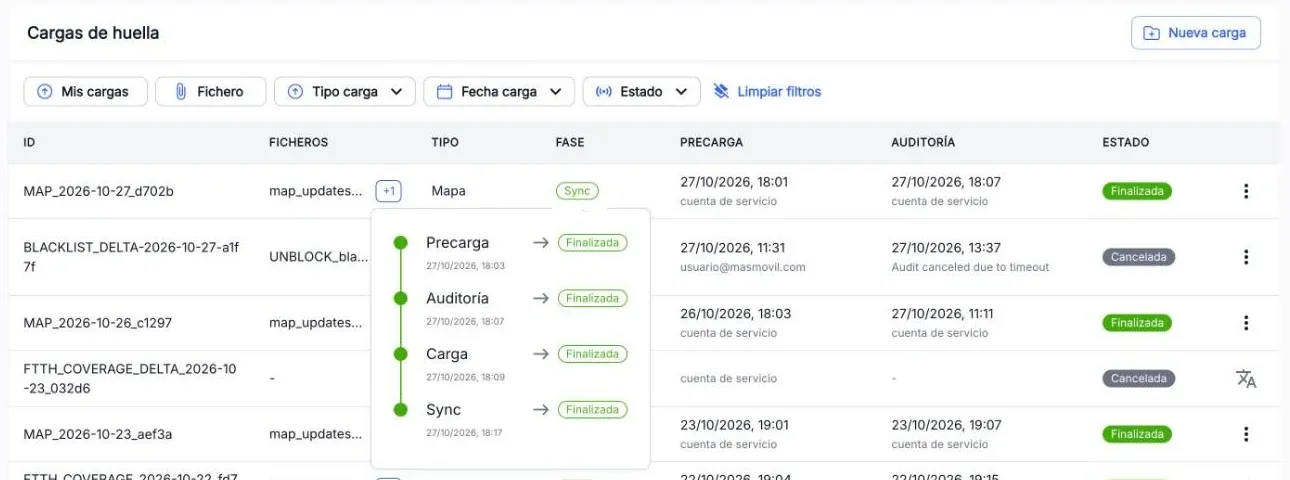
Press a load’s phase to see all its phases, with the date each one ended.
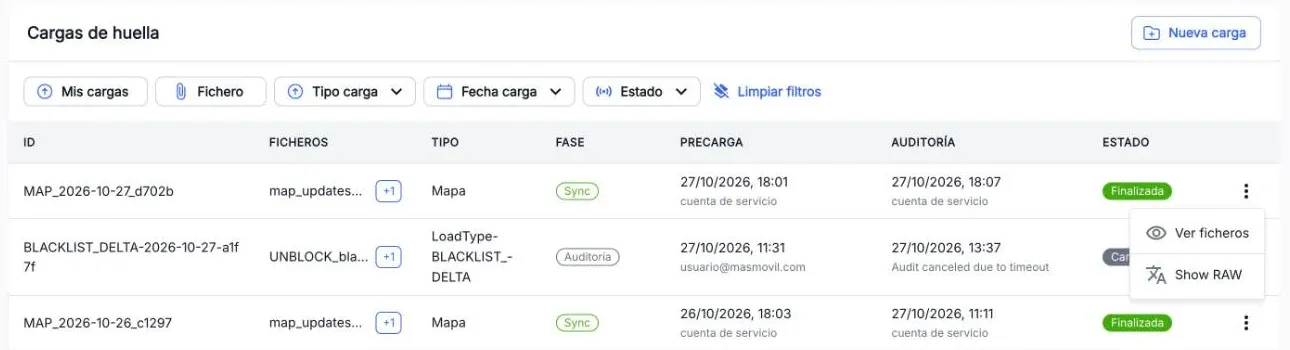
Each load’s ⋮ menu offers, depending on the case:
- View files: the files included, with a search box.
- Audit: only when the load is waiting for its audit and you have write permission.
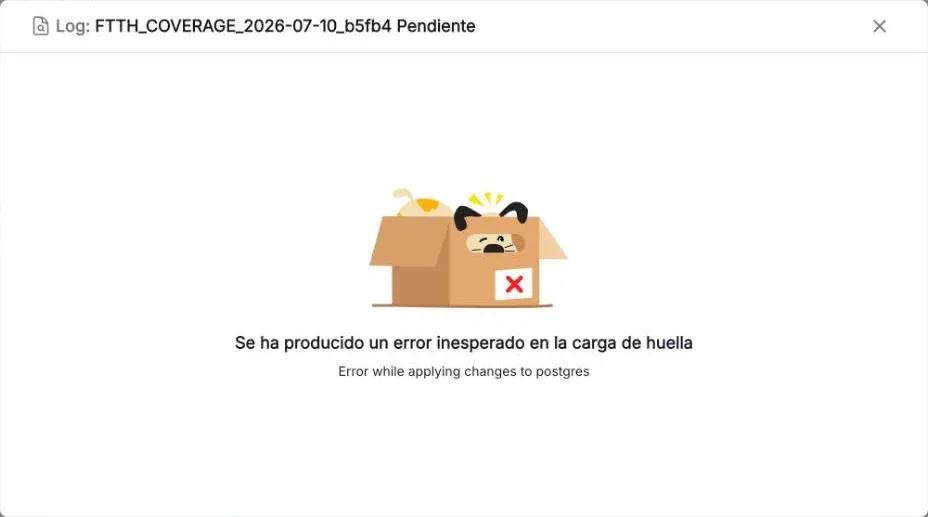
- View log: only when a phase has failed. It shows the validation errors (reason, location and message) or, for an unexpected error, its text.
Create a load
-
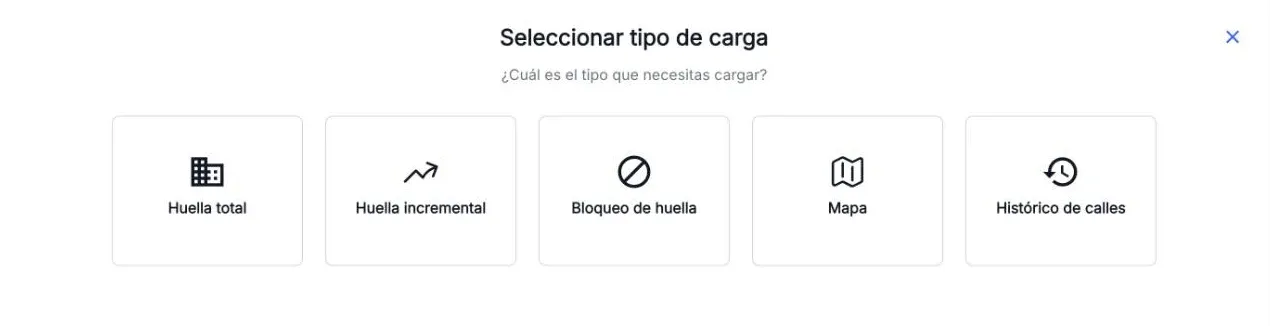
Press New load and pick the type:
Type What for Total footprint Replace the operators’ whole footprint. Incremental footprint Apply only additions, changes and removals to the current footprint. Blacklist Create or remove blocks in bulk. Map Fix address data: streets, towns, postal codes. Historical names Keep the old names of streets for the address search. Only one load of each type can run at a time: a type with a load in progress is disabled. The Loads in progress button shows which ones are busy.
-
Drag or select the CSV files. They upload one by one and you can delete the ones you don’t need. The load includes every pending file of that type, including files uploaded by someone else.
-
Press Continue, check the file list and press Preload.
Review and approve the audit
When the preload ends, the load stays in Audit (Pending). ⋮ > Audit opens a panel with the load summary and the expected impact report. What the report measures depends on the load type: see Load types.
| Button | What it does |
|---|---|
| Execute | Approves the audit and applies the load right away. |
| Postpone | Approves the audit and applies the load in the night window. |
| Cancel | Cancels the audit and the load. |
| Exit | Closes the panel without deciding. |
If nobody decides within 6 hours, the load is canceled.
Load files
- Only CSV files are accepted.
- If there is no valid file for the chosen type, the load does not go ahead.
- Which files each type expects and how they are validated is in Load types.
These guides do not cover the columns, separator or exact file-name pattern of each file. Ask the Feasibility team for those.
Load types
Total footprint
A total footprint load replaces each operator’s FTTH coverage with the one in its files. Use it when an operator sends its complete footprint.
Files
- One CSV file per operator. The system recognises the operator from part of the file name; if it recognises none, the load does not go ahead.
- It is the only type that validates the format of the files: the coverage columns and the gescal format. If something is not valid, the load ends Failed and View log shows each error with its reason, location and message.
What the audit checks
- Additions and removals of buildings (gescal 17) and homes (gescal 37) per operator.
- The result of the format validation.
- Duplicate gescals and conflicting data between operators.
- Changes to the address map and additions and removals of addresses.
A high volume of changes in “ZZ” homes is usually normal: they are the generic homes of operators that only report the building.
What changes when it is applied
The coverage, the address map and the street and building search of Coverage are updated. Removals are not deleted: the coverage is deactivated and kept for a while. Then the Sync phase replicates the changes to the other systems.
Incremental footprint
An incremental footprint load applies only the changes to the current coverage, without sending the operator’s complete footprint again.
Files
- CSV files.
- A file whose name contains
DELETEis treated as removals. The others are treated as additions or changes. - It does not have the format validation of the total footprint: check the files carefully before preloading.
What the audit checks
Additions and removals of buildings (gescal 17) and homes (gescal 37) per operator.
What changes when it is applied
The additions, changes and removals are applied to the coverage and the search of Coverage is updated. Then the Sync phase replicates the changes to the other systems.
Blacklist
This load creates or removes many footprint blocks at once. For one or a few blocks, the Footprint block screen is simpler.
Files
- CSV block files. According to the technical documentation their name starts with
blacklist_; if there is none, the load ends Failed. - Rows for operators that do not exist are discarded.
- A block can apply to a home (gescal 37), a building (gescal 17), a street or a town.
What the audit checks
How many blocks will be created and how many will be removed.
What changes when it is applied
The blocks are removed and created at each level: town, street, building and home. Then the Sync phase replicates the changes, and the files are moved to a backup.
Apart from these loads, blocks that reach their end date are removed automatically every day.
Map
A map load fixes address data without touching the operators’ coverage. It may not show in New load if it is not enabled in your environment.
Files
CSV map update files, with names such as map_updates_20261027.csv. If there is none, the load does not go ahead.
What the audit checks
The map changes that will be applied.
What changes when it is applied
- The buildings’ clarifier.
- Postal codes.
- A town’s province and the province names.
- Street and town names.
- The way type.
If applying the changes fails, the load ends Failed.
Historical names
Historical names keep the old names of streets, so the address search of Coverage also finds a street by the name it used to have.
Files
- A CSV file of additions (names to add) and another of removals (names to remove). You can send just one of them.
- If there is no file, the preload ends with an error.
What the audit checks
How many names will be added and how many will be removed.
What changes when it is applied
The historical names are added and removed, and the street search is updated.
What Admin cannot do
From Admin you cannot:
- edit or retry a failed load;
- cancel a load outside the audit;
- download files or logs;
- change the night window.
For any of these, or if a load gets stuck, write to the team in #help-masstack-console.